Manual Coil Arrangement
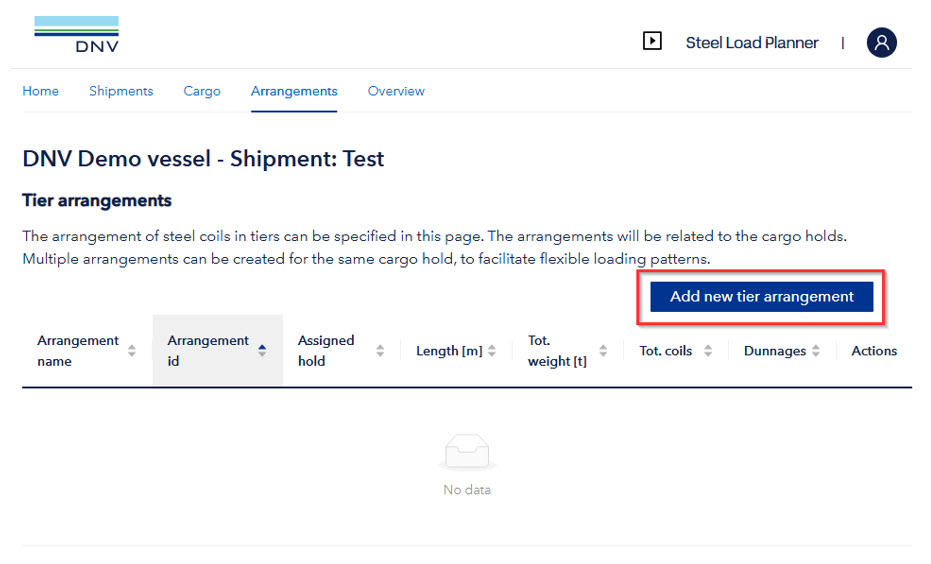
To distribute coils manually, arrangements needs to be defined first. This can be done by pressing “Add new tier arrangement”
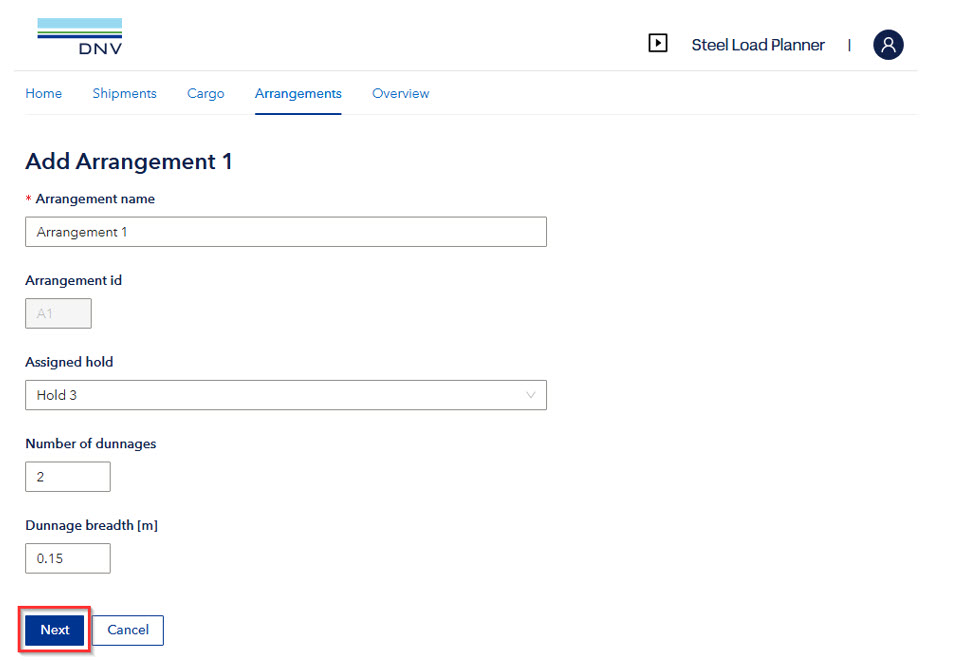
When pressing the “Add new tier arrangement”, a popup shows up to provide basic information. These values may be modified later. (Note: Dunnage breadth is default set to 0.15m, which can be applied in case exact information is not available).
When the correct input is filled in, the user can press the “Next” button. This will take them to the 2D cross-sections view.
The cross-sections are built up according to the vessels specific data:
- User specified name of arrangement
- Assigned hold number
- Geometry according to the assigned hold (angle and breadth)
- Input of coils, see next sections
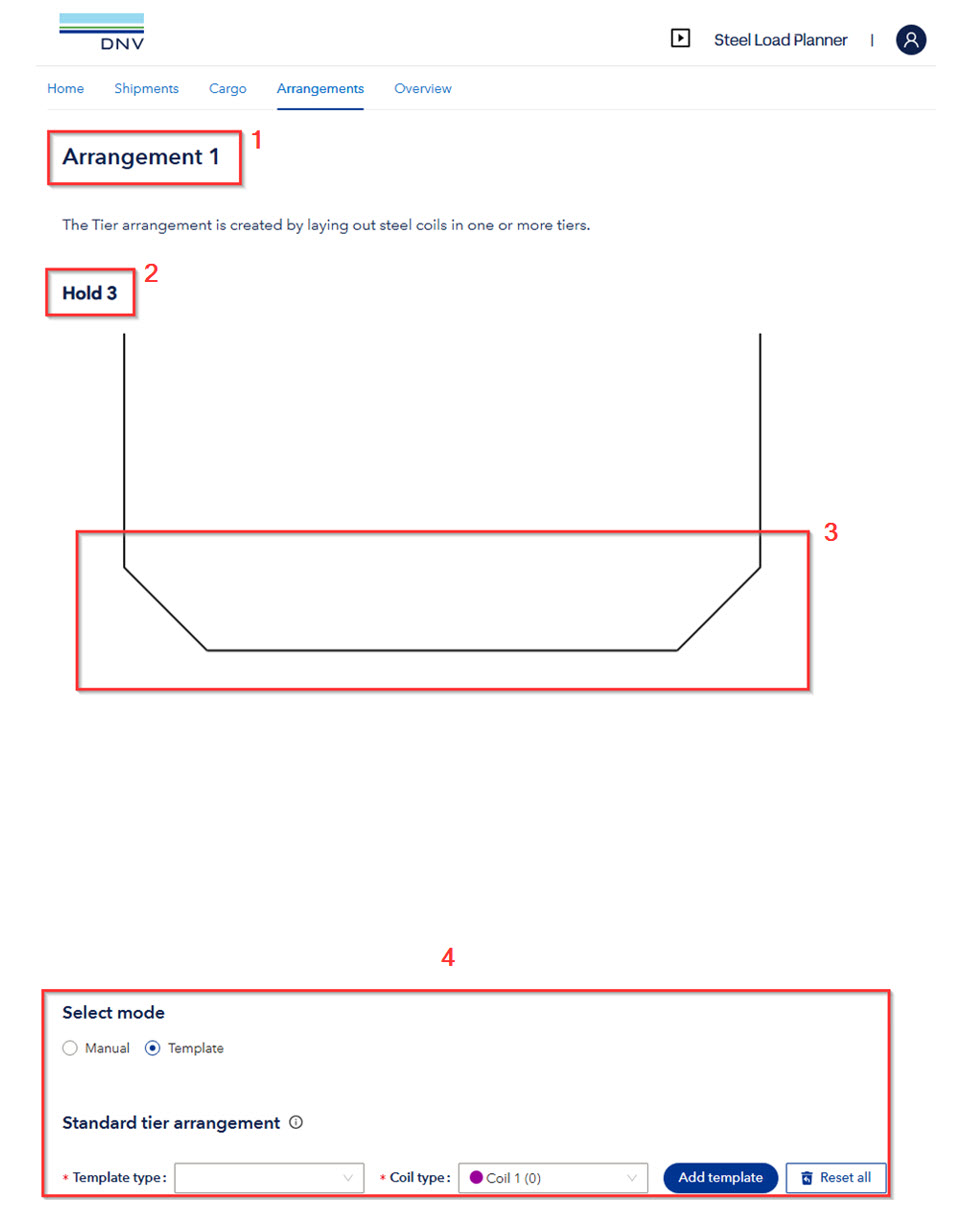
The user needs to select one of two modes: To apply a standard tier arrangement for 1 coil type or to build up any coil arrangement by using manual input.
Template input
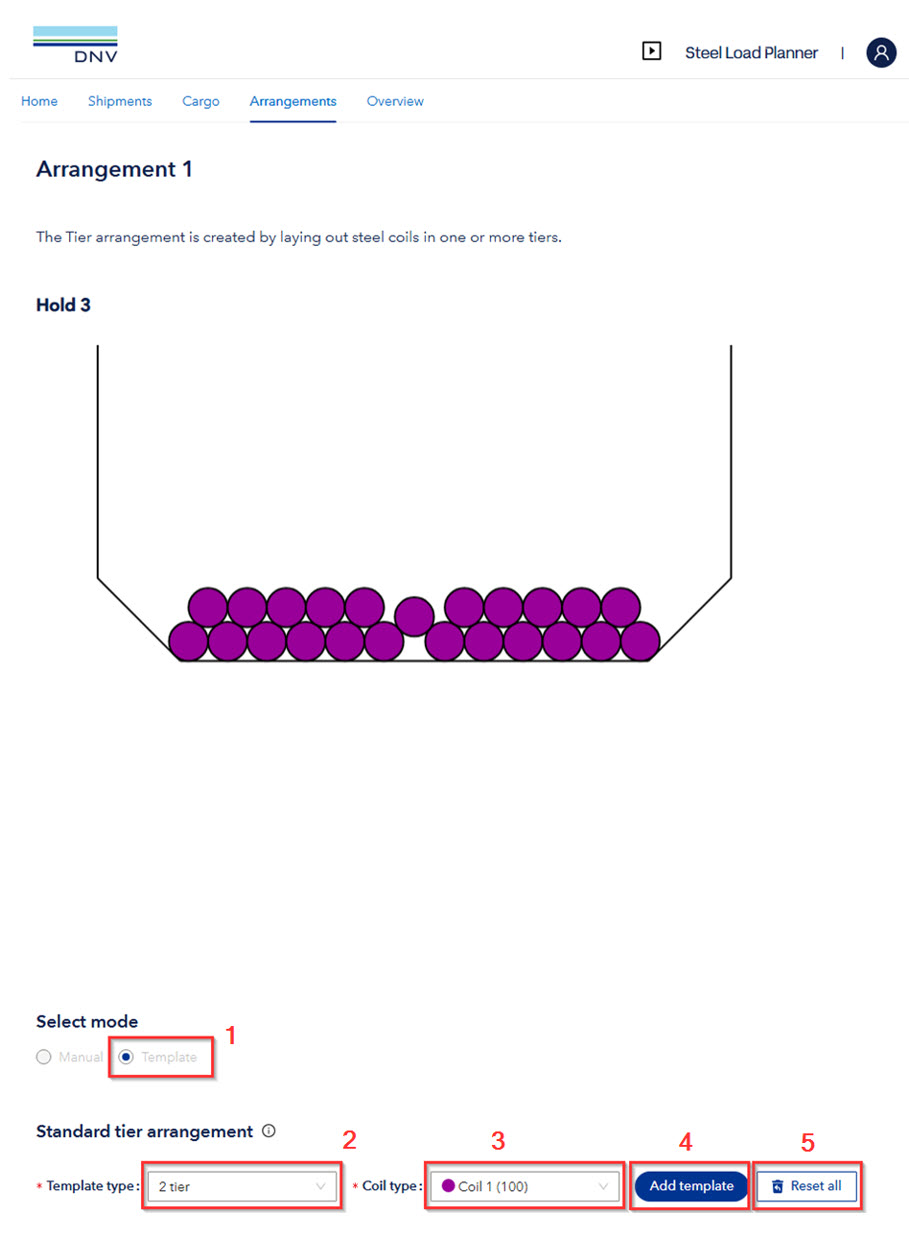
Create the Tier Arrangement from pre-made templates by the following 4 steps. The application has built in functionalities to create standard arrangements from 1 tier to 5 tiers, with half tiers included.
- Select Template
- Select which template (number of tiers)
- Select which coil type
- Press add template to build the arrangement
- Reset the arrangement in order clean the input
Manual Input
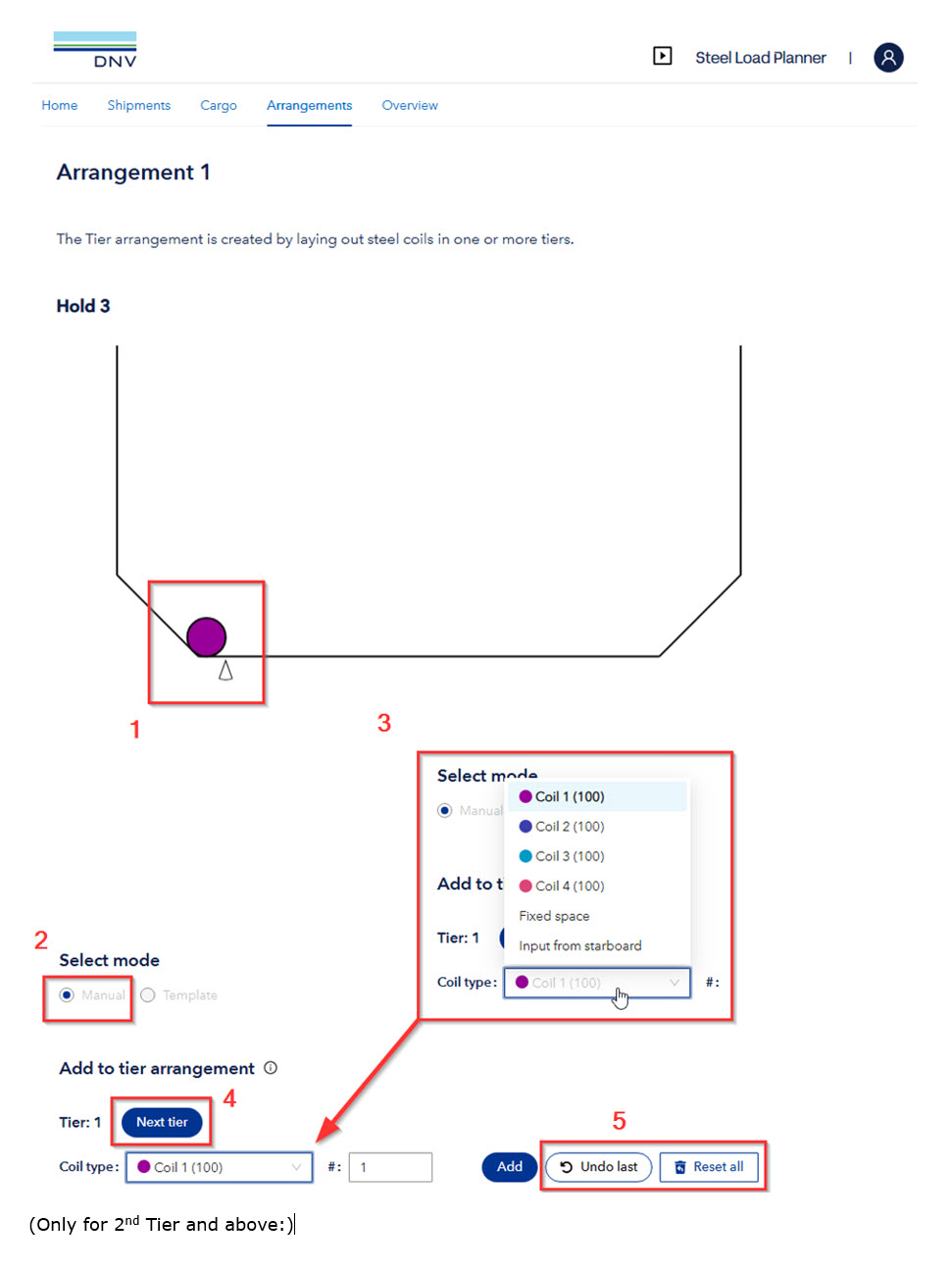
The manual input has the following important parameters and descriptions:
- View of placed coils, and cursor for marking next coil placement
- Manual mode selected
- Coil type and number to add. For 1st tier, the following options are possible:
- Coils: As defined in previous section “Cargo”
- Fixed space: Specify a space for a key coil or other cargo (specify width)
- Input from starboard: Use this when you have arrived at the position where a key coil should be placed. The program will then start input from starboard. This function is possible to repeat in case multiple key coils are to be placed
- Start to input from next tier (to be used when the tier is filled completely)
- Undo last input or Reset all input
- When working in a 2nd Tier or above the option to “Skip” a coil position is included to build half tiers and similar.

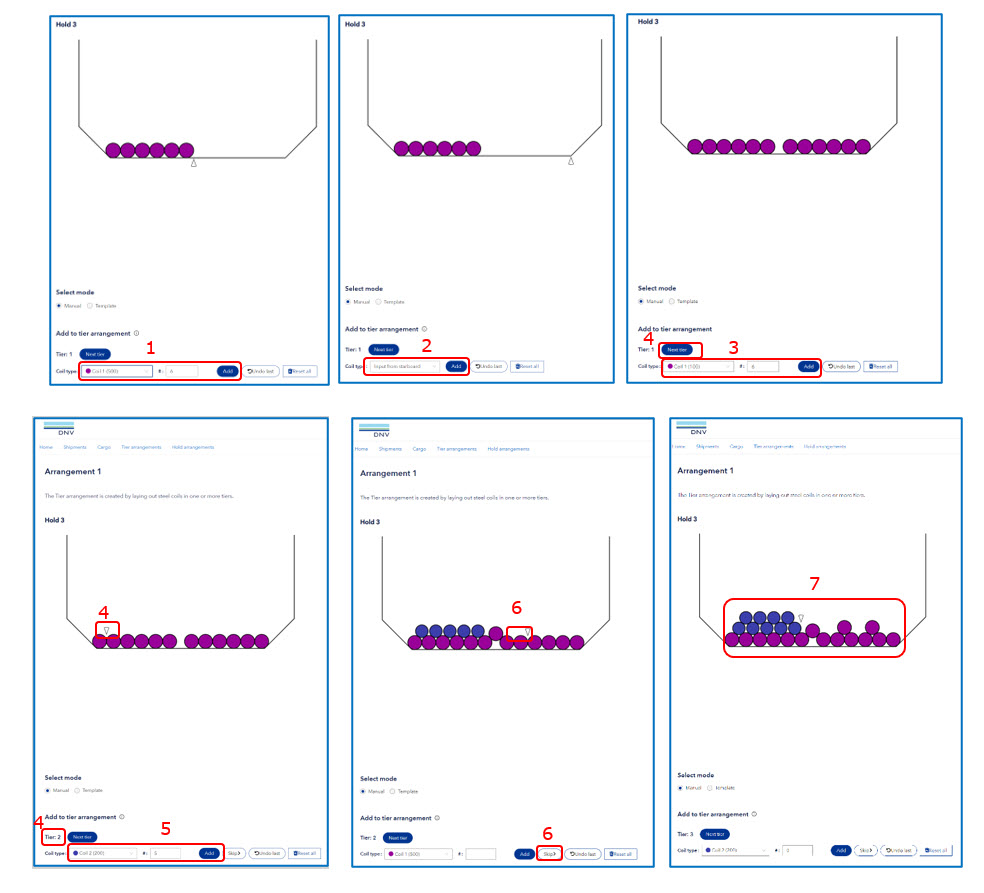
Example of how to build a mixed coil stowage form Manual Input:
- Select Coil 1 and amount until key coil position – Press Add
- Choose “Input from Starboard” – Press Add – See Cursor move to starboard hopper
- Select Coil Type and amount - Press Add
- Select Next Tier – See Cursor Move to next tier, and Tier Counter moves to 2
- Select Coil 2 and Number - Press Add (Then repeat with #1 of Coil Type 1 for Key Coil)
- Use “Skip” to leave a position empty (for half tiers)
- Continue with add, skip, next tier and input to build the wanted arrangement