The Overview tab provides access to comprehensive shipment information, including capacity calculation results, details of the coil layout within the vessel, and additional shipment data. From this view, user can navigate to editing cargo, tier arrangements, and shipment settings as well it provides option to recalculate and generate a report for offline use.
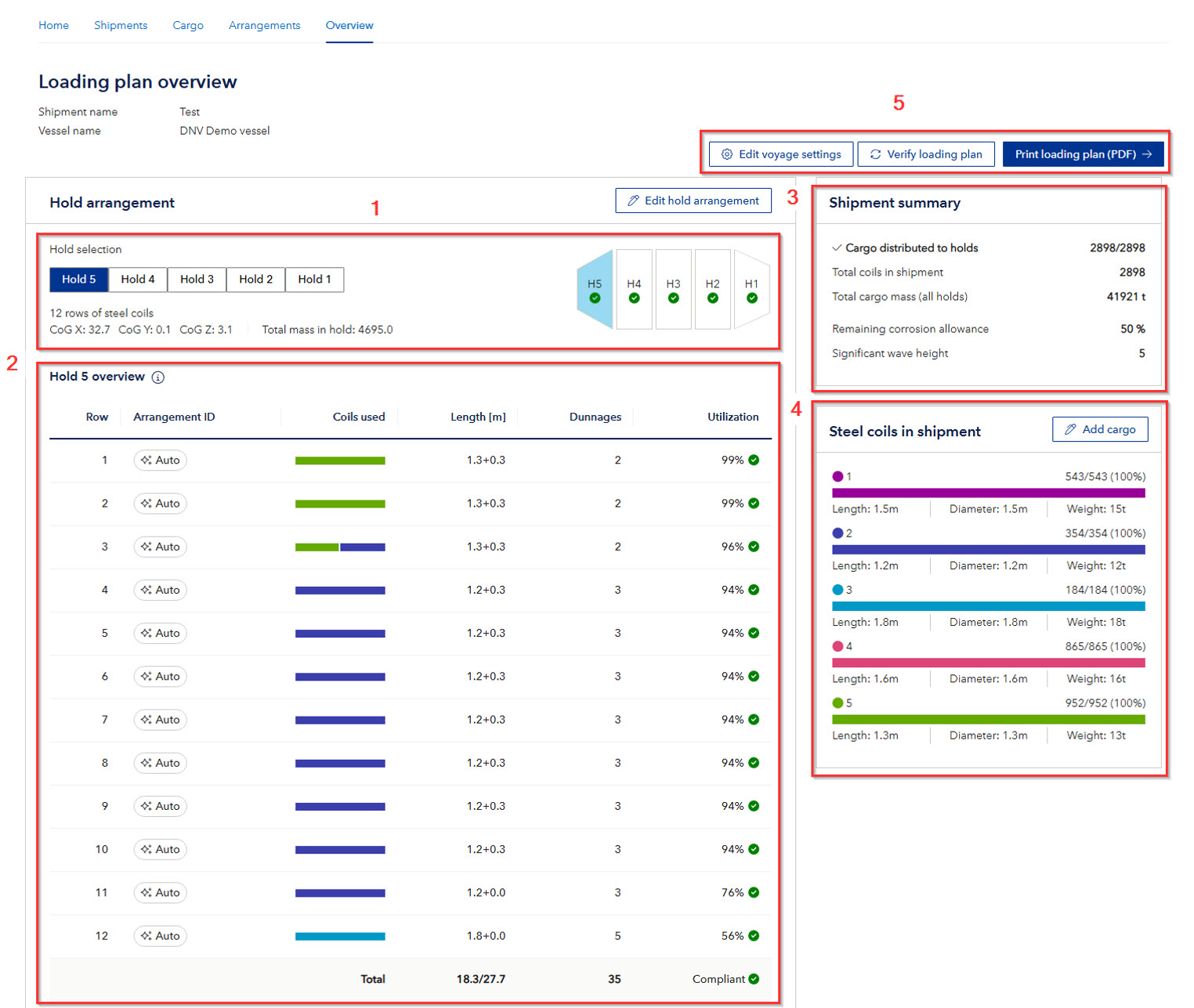
- The display is a Mini-map of the vessel (not to scale), showing the holds of the vessel. Navigate between the holds to see details of results for each row either by pressing the tabs or the Mini-map. The center of gravity and total mass for each cargo hold are provided for reference and integration with the loading computer. Distribution and total mass vary between cargo holds, depending on their structural capacities.
- In the “Hold overview”, user can review the results of “Check rule compliance” and detailed information for each row within the cargo hold. The Arrangement ID indicates whether the arrangement was created/edited manually or generated using the “Generate loading plan” function. A colored bar provides a graphical representation of the percentage distribution of coil types within each row. A summary includes the length of each arrangement and the number of dunnage used. When a row is selected, detailed information about the coil distribution for that row is displayed. If the proposed arrangement is not suitable for operations, or if changes are required, the cargo distribution can be manually edited while keeping other arrangements unchanged.
- In the “Shipment summary”, the total distributed cargo for the entire shipment is displayed as well as information on remaining corrosion allowance of inner bottom and hopper structures and significant wave height values used for calculation.
- In the “Steel coils in shipment” section, the dimensions, weight, and quantity of each defined coil are presented. A colored bar also shows the percentage distribution of the coils. Selecting “Add cargo” redirects the user to the “Cargo” tab for further editing cargo specified in current shipment.
- Using “Edit voyage settings”, the user can modify the remaining corrosion allowance and significant wave height or revert to the default rule values. If any changes are made to the arrangements, the loading plan must be reverified for rule compliance. This is indicated by a red marker on the “Verify loading plan” button. Select “Print loading plan” to generate a complete plan in PDF format for documentation purposes or offline use.
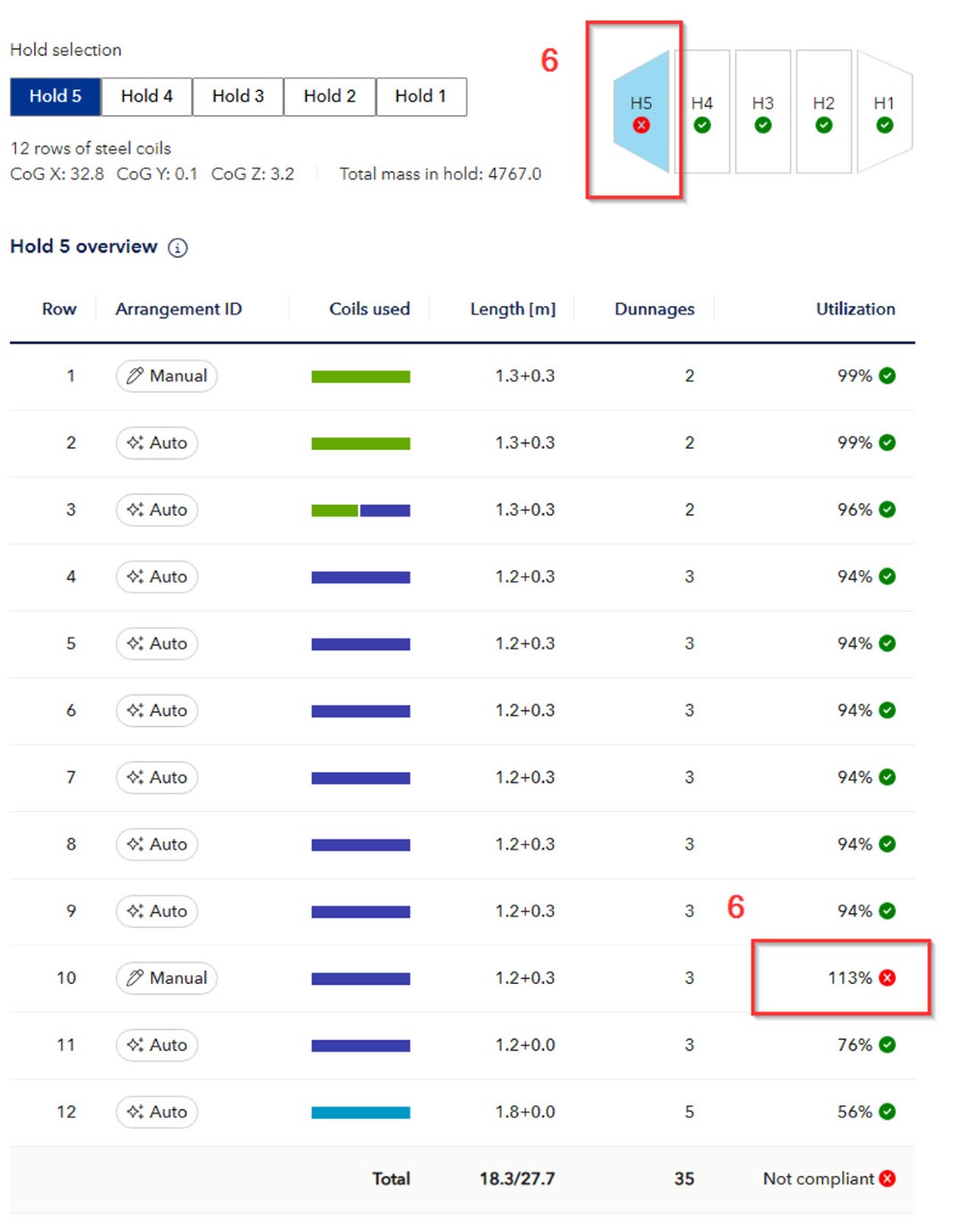
- In case some Tier Arrangements are failing the rule check, they will show up with red marks. This is shown for each row that is failing in the hold, and if any row is failing, it will show as a red mark on the Mini-map. This means that the user needs to modify or exclude the relevant Tier arrangements in order to satisfy the rule requirements.