Veracity for Class Maritime Portal
Survey Schedule
The Survey Schedule in Vessel services provides a consolidated overview of all surveys and audits across your fleet. It allows you to monitor status, identify upcoming or overdue activities, and plan inspections without opening individual vessels.
By default, the view displays My Fleet, but you can expand the scope to include other Vessel groups or individual Vessels.
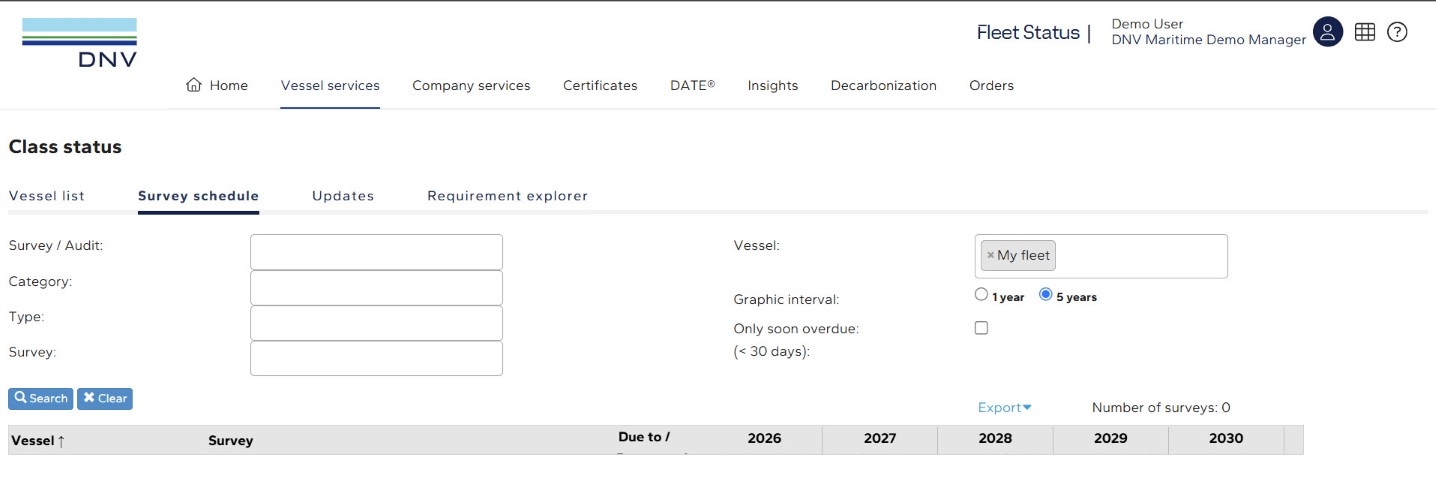
1. In Fleet Status, navigate to the Vessel services
Select Class Status, then Survey Schedule
The Survey schedule shows all surveys and audits in a single view.
You have the possibility to filter the view by:
Click on the export button ( ) to export the search result into an excel file.