Veracity for Class Maritime Portal
Tier Arrangements
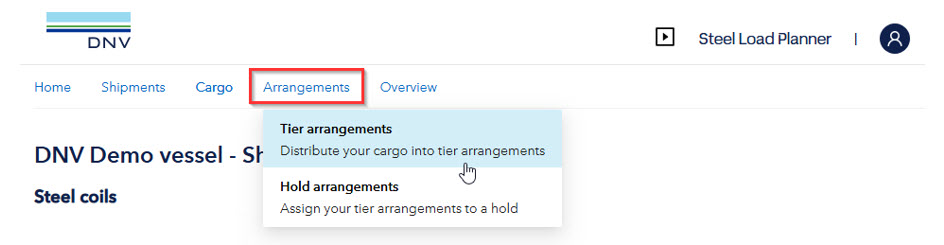
Tier Arrangements can be accessed by hovering over the “Arrangements” tab and selecting Tier Arrangements from the drop-down menu.
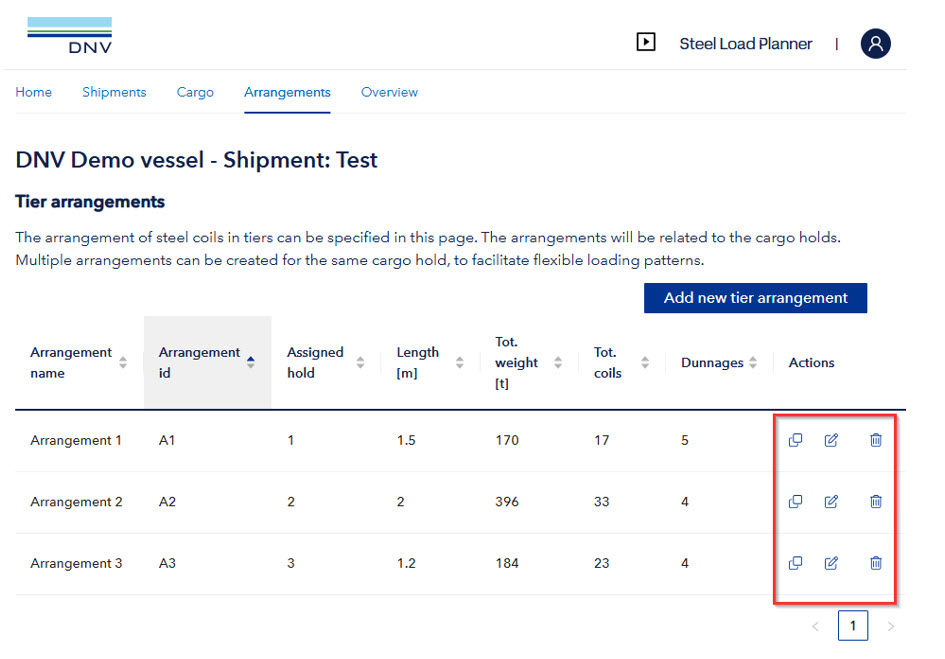
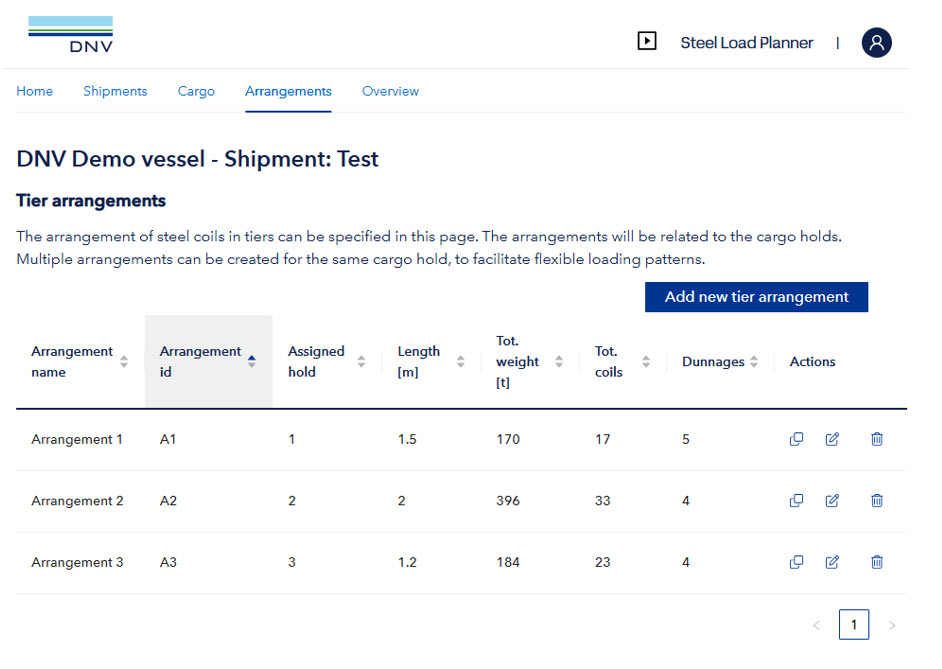
In the Tier Arrangements, the user has overview of defined arrangements of steel coils.
This includes a table of the Tier Arrangements, with specified details
The “Duplicate” function can be used to create a copy of the arrangement.
The “Edit” function can be used to modify the basic input (assigned cargo hold, number of dunnages etc.)
The “Edit” function should not be used to change between cargo holds of different geometrical properties (breadth / hopper angles). This is typical for the foremost and aftmost cargo holds. For these holds, the arrangements should be created from scratch.
The “Delete” function can be used to permanently remove an arrangement. If the arrangement is used in hold distribution, it must first be unassigned from the cargo hold.